Screenshots
How it works
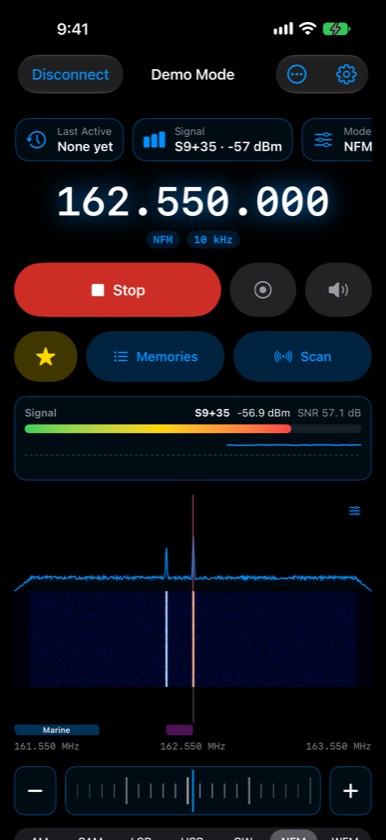
SDRplay's nRSP-ST is a receiver that lives on your network. SDRconnect — the app or the headless version — runs on a Mac, PC, or Raspberry Pi and talks to it. Waveline connects to that computer and becomes the radio in your hand: a big frequency readout, a live spectrum and waterfall, and every control you'd reach for, with the audio streaming straight to your iPhone, AirPods, or car. Nothing is opened to the internet; away from home, a private VPN like Tailscale gets you back in.
Tune
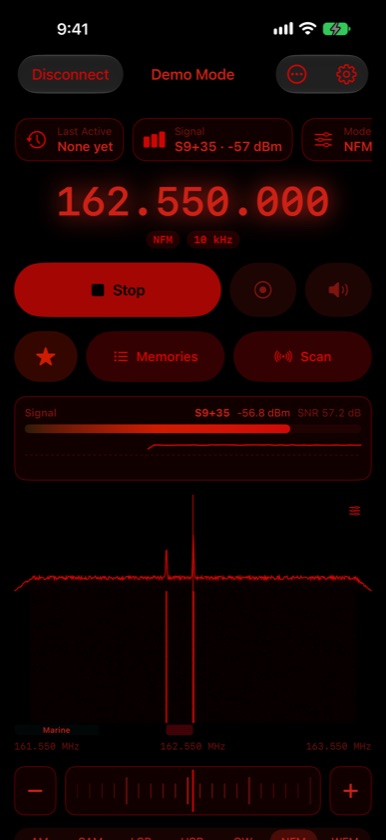
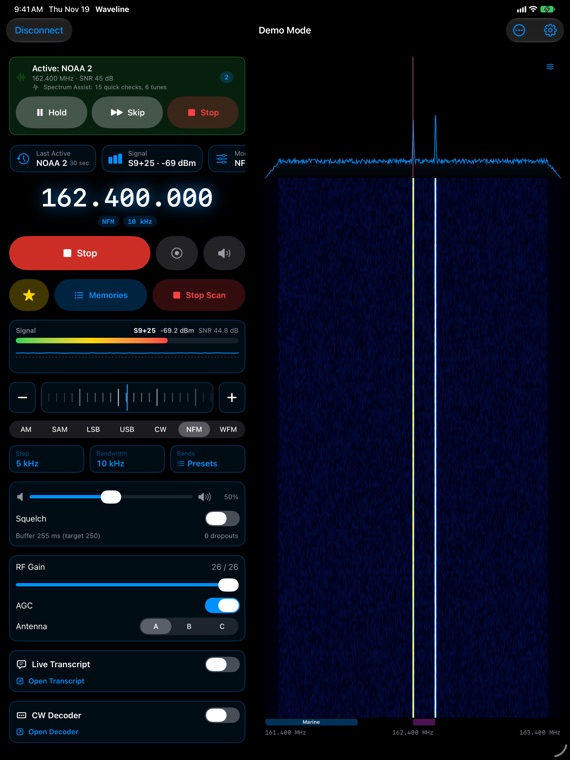
- Frequency, dial & presets — a big, clear readout with a smooth tuning dial, step sizes, and band presets; every mode: AM, SAM, USB, LSB, CW, narrow FM, and broadcast FM
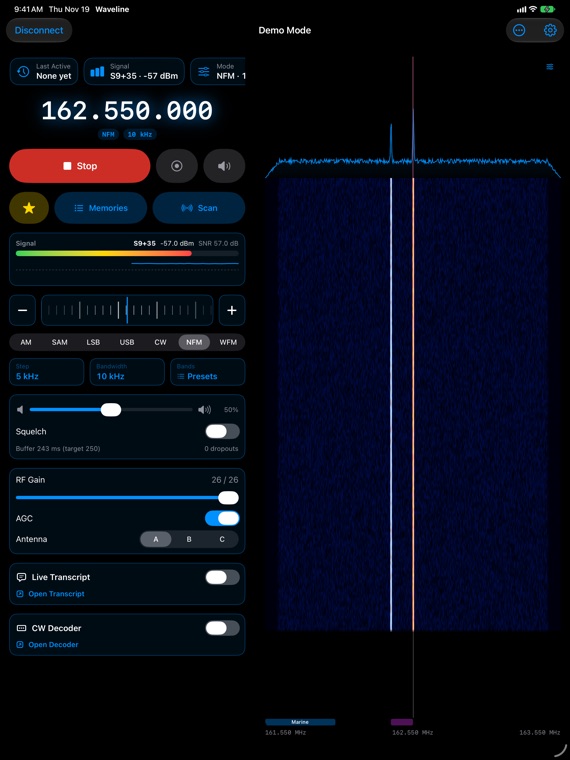
- Spectrum & waterfall — tap a signal to tune to it, pinch to zoom, drag to look along the band, with peak hold and averaging
- Band plan — colored strips show which band you're looking at: ham, broadcast, aviation, marine, CB, and more
- Always centered — Waveline keeps the frequency you're on away from the edges of the span, where reception falls off
- S-meter — readings from S0 to S9+60, with a two-minute signal history
- Receiver controls — bandwidth, RF gain, AGC, antenna, squelch, noise reduction, and FM stereo with station names (RDS)
Memories & scanning
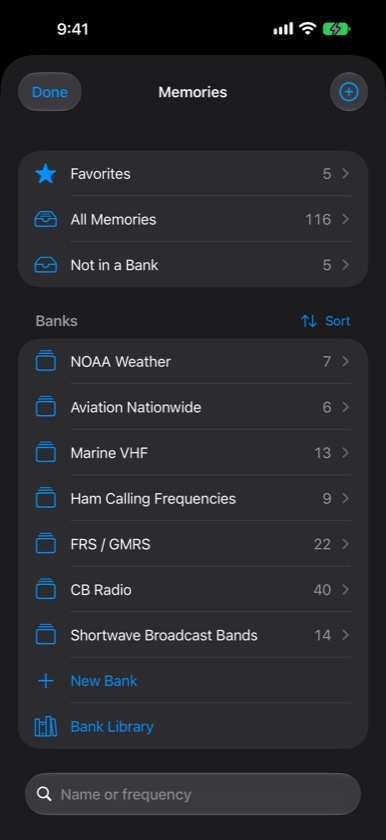
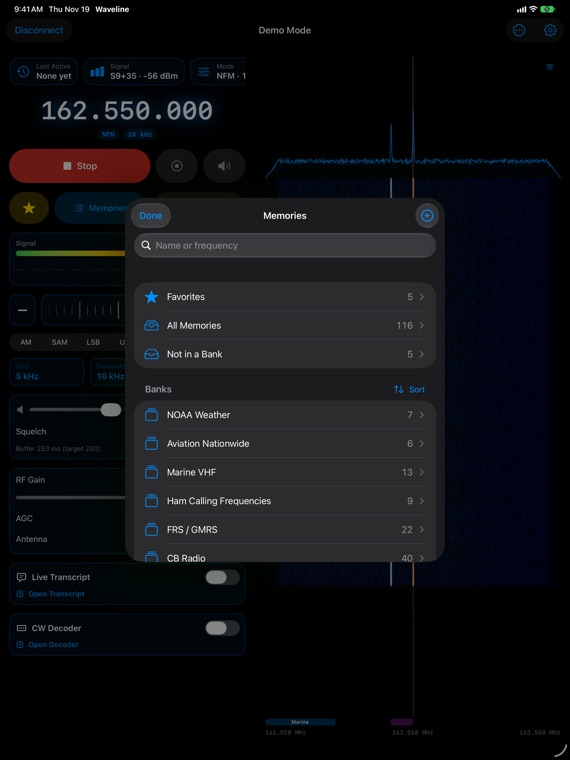
- Banks & favorites — save channels with a tap, star the ones you love, and sort each bank your own way
- Bank Library — ready-made banks to pick from: NOAA Weather, aviation, marine, ham calling frequencies, FRS/GMRS, MURS, CB, shortwave bands, satellites, and more
- Bring your lists — import from CHIRP, RadioReference, SDR++, SDR#, or your radio's programming software; share channels as text or a CSV
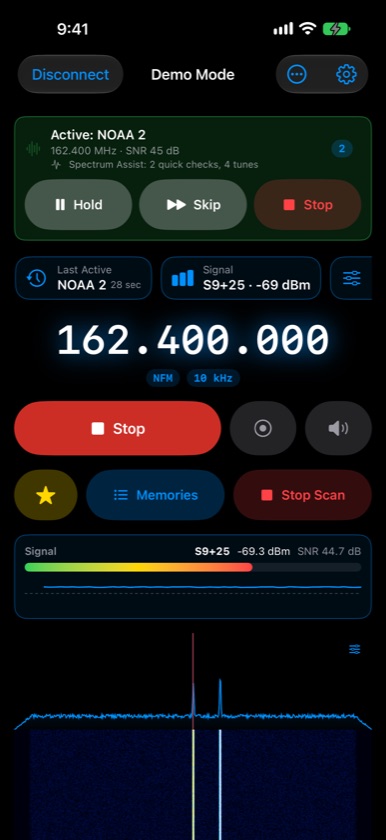
- Scan — a bank, your favorites, or a frequency range, with a priority channel, a hit log, and Spectrum Assist, which checks nearby channels straight from the spectrum without retuning
- Backup & Restore — one file holds your memories, radios, logbook, and settings, plus private iCloud sync for memories
Listen, record & log
- Low-latency audio that keeps playing in the background, with Lock Screen controls
- Record what you hear, automatically whenever the squelch opens, or on a schedule
- Audio tools — a notch filter that finds an annoying whistle for you, bass and treble, and a leveler for loud and quiet stations
- Logbook — log a station with one tap (time, frequency, mode, and signal filled in), then export it for a spreadsheet or your ham logging program (ADIF)
Decode
- Live Transcript — voice traffic turned into text with Apple's speech recognition
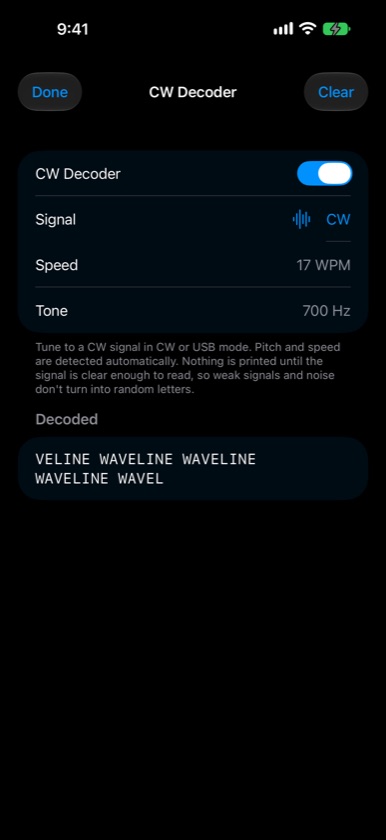
- CW decoder — finds the Morse tone and speed for you, and stays quiet on plain noise
- Digital modes — APRS and packet, pagers (POCSAG), RTTY, NAVTEX, ACARS, SSTV pictures, and weather fax, all decoded right on your device
- Tones — see the CTCSS tone, DCS code, or DTMF digits a repeater or radio is using
What's on
- Shortwave schedule — who's on the frequency you're tuned to right now, and everything on the air by band, from the EiBi schedule
- Band conditions — HF band ratings and solar data at a glance
- Satellites — when the International Space Station and other ham satellites pass over you, and one tap to listen with the Doppler shift corrected automatically
- Public receivers — a list of nRSP-ST receivers their owners share with everyone, with live status
Everywhere you need it
- iPhone, iPhone Duo & iPad — a two-column layout with a big waterfall on iPad and unfolded iPhone Duo, plus keyboard shortcuts and scroll-wheel tuning
- Apple Watch — a remote for the iPhone app: turn the Digital Crown to tune, pick a memory, scan your favorites
- Apple TV — a big-screen listening post with spectrum and waterfall
- Siri, Shortcuts, widgets & Control Center — "Listen with Waveline", "Scan with Waveline", and one-tap Listen, Scan, and Stop
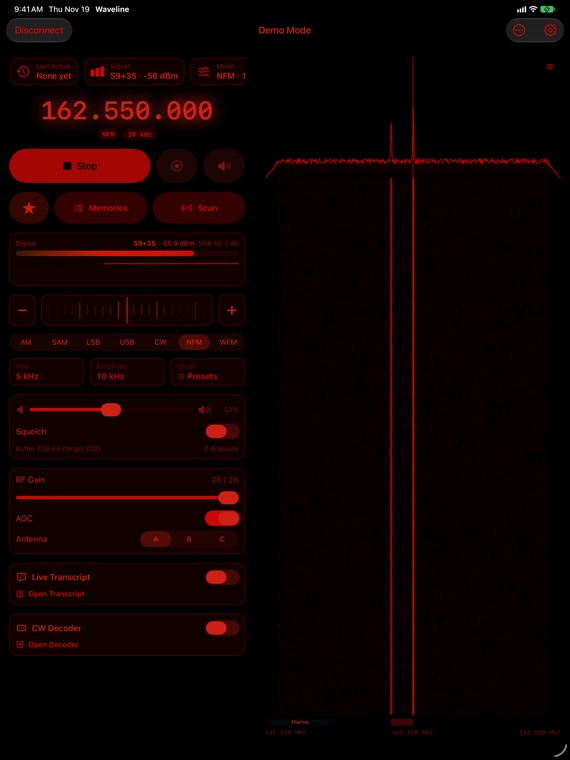
- Make it yours — Light, Dark, and a red Night mode that protects your night vision; accent colors, waterfall palettes, and a main screen you arrange
- Accessible — VoiceOver, larger text, Reduce Motion, and colors that meet contrast guidelines
- CarPlay — planned
Try it first
Demo Mode simulates a receiver with weather stations, repeaters, and a Morse beacon, so you can explore everything before connecting your own radio.
What you need
Waveline is a remote control. It needs an SDRplay receiver such as the nRSP-ST and a computer on your network (Mac, Windows, Linux, or Raspberry Pi) running SDRconnect with its WebSocket API turned on. Waveline doesn't contain a radio and can't receive anything on its own. Digital voice (DMR, P25, D-STAR, C4FM) can be tuned but not decoded.
No accounts, no ads, and no tracking — Waveline talks to the computer you connect it to, plus a few public data sources only when you open the feature that uses them. See the privacy policy.
Try it early
Waveline is in testing now. Beta builds go out on TestFlight before they reach the App Store — new features first, in exchange for the occasional rough edge.
Questions?
Waveline is an independent app and is not affiliated with or endorsed by SDRplay. SDRplay, nRSP-ST, and SDRconnect are trademarks of their owners.